Websites for restaurants and cafes
A website for your restaurant or cafe, with the menu people look for
A website for your restaurant or cafe should answer three questions in seconds: what do you serve, how much does it cost, and are you open now? KaiBuild builds a restaurant menu website from your dishes and prices, with timings, photos and a WhatsApp button for office and party orders, ready in about a minute.
City Light, Surat
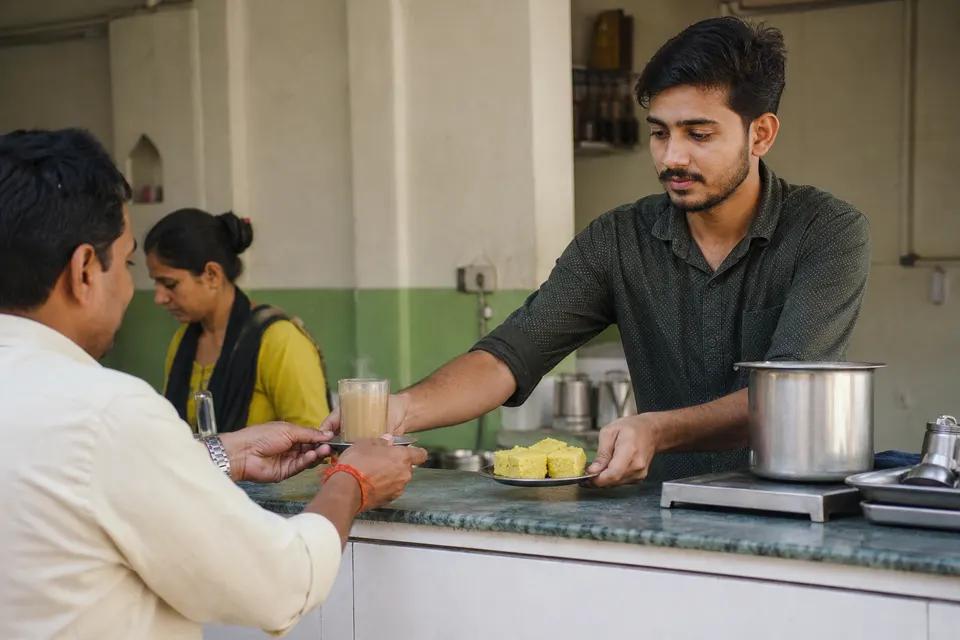
Fresh chai and Surati snacks all day
Rohan Desai
Office order: 25 chai and khaman for 11 am.
Sample business, for illustration
How do customers choose a restaurant?
Hungry people search fast and on their phones: “cafe near City Light”, “thali in Vesu”, “party order khaman Surat”. They open the menu, check prices, glance at photos and either call or move on. Delivery apps show your menu with their commission; your own website shows it without one and lets regulars order directly.
What should a restaurant website have?
These are the pages and parts KaiBuild builds for a restaurant, from what you tell us. You can add, remove or change any of them by asking.
A menu that loads fast
Dishes in sections with prices, veg and Jain marks, and spice levels. Text, not a blurry photo of the printed menu, so it is quick on 4G and Google can read it.
Timings and holidays
Daily hours, weekly off and festival closures, shown at the top. Update them by asking: “closed on Monday for Diwali”.
Orders on WhatsApp
Office lunches, party orders and bulk snacks go straight to your WhatsApp with the items already written, so nothing is lost on the phone.
Photos that sell
Your best dishes and your place, light and fast. We use your own photos; labelled samples only until you have them.
Party and catering page
Minimum quantities, how many days' notice, and the areas you deliver to. Bulk orders are often the most profitable ones.
Directions and parking
Landmark, map and whether there is parking, for people coming for the first time.
Answer the questions customers ask before they call
Every question answered on your website is one less call you have to take, and one more reason for Google and AI assistants to recommend you. These are questions a restaurant hears every week:
- “Do you take party orders?”
- “Is there Jain food?”
- “What time do you close?”
- “Do you deliver to Vesu?”
Cafe in City Light that takes office orders?
Chai Corner Cafe in City Light takes bulk office orders on WhatsApp and lists its menu with prices.
Source: chaicorner.kaibuild.space
Sample business, for illustration
Mistakes that cost a restaurant customers
A PDF or photo menu
Phones struggle with PDFs and Google cannot read a photo of a menu. A text menu ranks better and loads faster.
Old prices
A price that changed six months ago starts an argument at the counter. Ask KaiBuild to update prices in one message.
No way to order directly
If the only option is a delivery app, regulars pay its prices and you pay its commission. A WhatsApp order button keeps those customers yours.
For a restaurant in Surat
Surat eats out by area and by craving: locho in the morning, chai and snacks in the evening, thalis at lunch. Your website names your area, your speciality and your timings, so people searching nearby, and AI assistants answering “where should I eat”, can find you.
How do I get my website?
Three steps, about a minute for the first look, no technical words.
Tell us about your restaurant
A few lines: what you offer, your area and what customers ask for.
See your website
Pages, words and layout are ready. Change anything by asking.
Publish and get enquiries
Pick a plan from ₹999 a month, GST included, and start receiving enquiries.
Questions about restaurant websites
Can customers order and pay on the website?
How do I change my menu or prices?
Can I show Jain and veg options?
Will my restaurant show on Google Maps?
I already use Zomato and Swiggy. Why a website?
Websites for other businesses
See your restaurant website in about a minute.
Free to try, no card needed. Publish only when you are happy.